Planning a yard can feel exciting at first, but it can quickly become confusing when you have too many ideas. You may want a new patio, better flower beds, a cleaner front yard, a fire pit area, or a low-maintenance garden, but it is hard to know which layout will actually look good around your home.
This is where a landscape design app can make the process much easier. Instead of guessing, sketching on paper, or buying plants before you are sure, you can test different yard ideas digitally. Many homeowners also search for free landscape design software because they want to explore layouts and visualize changes before spending money on plants, materials, or professional work. A free landscape design app is especially useful for homeowners who want to improve their outdoor space but are not ready to commit to one final plan. It gives you room to experiment, make changes, and see your yard from a more practical design point of view.
Why You Should Test Multiple Yard Ideas First
Most people do not struggle because they have no ideas. They struggle because they have too many ideas and no clear way to compare them.
For example, you may be deciding between a large lawn or more planting beds, a gravel sitting area or a paver patio, a modern front yard or a softer cottage-style garden, or a fire pit zone instead of a dining space. Trying multiple versions helps you avoid expensive mistakes. What looks good in your mind may feel crowded, unbalanced, or hard to maintain once it is placed into the actual yard layout. A landscape design app helps you see these issues early. It also gives you a better understanding of space. You can check whether a pathway feels too narrow, whether a patio takes up too much lawn, or whether the plants you like will look balanced around your home.
Start With a Clear Yard Goal
Before opening any app or free landscape design software, think about what you want your yard to do. A beautiful design should not only look good. It should also fit your lifestyle. Ask yourself:
- Do I want a yard that is easier to maintain?
- Do I need more outdoor seating?
- Do I want better curb appeal?
- Do I need a safer space for kids or pets?
- Do I want more shade or privacy?
- Am I planning to entertain guests outside?
Once you know your main goal, it becomes easier to test ideas that actually make sense. For example, if your goal is low maintenance, you may want to test layouts with mulch beds, hardscaping, durable plants, and fewer grass areas. If your goal is entertaining, you may want to compare patio sizes, seating zones, lighting, and walkway placement.
Upload or Capture Your Yard Photo
Most landscape design apps work best when you start with a real photo of your yard. This gives you a more accurate design base instead of working on a blank layout. Take a clear photo during daylight. Try to capture the full area you want to improve, whether it is your front yard, backyard, side yard, patio area, or garden bed. Stand far enough back so the app has enough space to work with. A good photo helps you test ideas more realistically because you can see how plants, pathways, borders, furniture, and outdoor features look against your actual home.
Create Different Design Versions
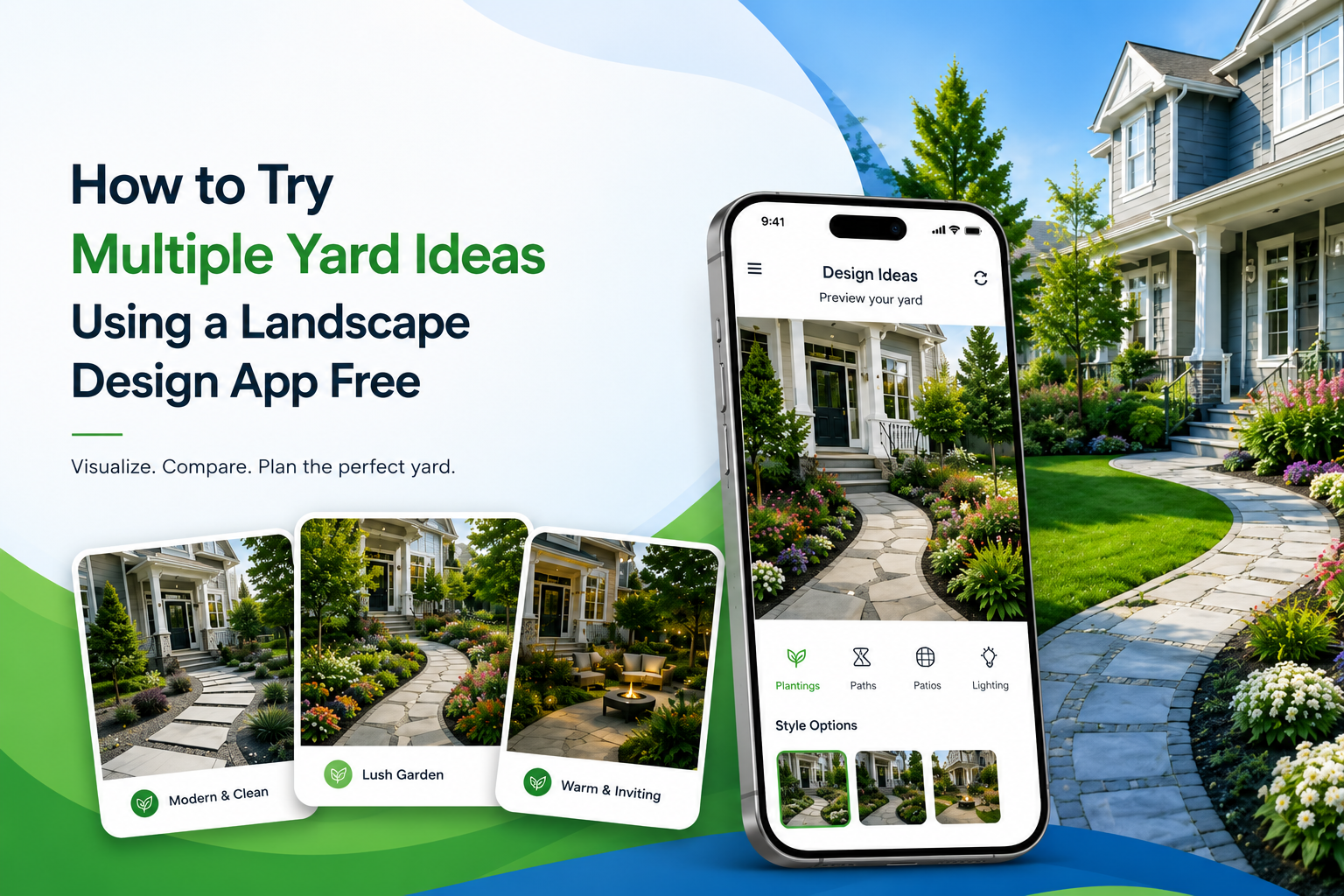
The biggest advantage of using a landscape design app free is that you can create more than one version before making a final choice.
You can make one version focused on curb appeal, another focused on low maintenance, and another focused on outdoor living. This helps you compare ideas side by side instead of trying to imagine everything in your head. For example:
Version 1: Simple and Low-Maintenance Yard
Use clean mulch beds, evergreen shrubs, a few seasonal flowers, and a simple walkway.
Version 2: Colorful Garden Layout
Add layered flower beds, ornamental grasses, colorful borders, and more planting zones.
Version 3: Outdoor Living Layout
Test a patio, seating area, fire pit, outdoor lighting, and privacy plants.
Version 4: Modern Front Yard
Use clean edges, geometric beds, stone borders, structured plants, and minimal lawn.
By saving multiple versions, you can come back later with a fresh eye and choose the one that feels most practical and attractive.
Test Plant Placement Before Buying
One of the most common yard planning mistakes is buying plants before knowing where they will go. A plant may look great at the nursery, but it may not work well in your yard because of space, sunlight, soil, or design balance.
The iScape garden design app can help you test plant placement before making a purchase. You can see whether taller plants should go near the back, whether small flowers work better along edges, or whether shrubs make the entryway feel too crowded.
When testing plants, think about mature plant size, sun and shade needs, color combinations, seasonal changes, spacing, maintenance level, and how plants frame your home. This helps you create a yard that looks planned instead of random.
Compare Hardscape Ideas
Hardscaping includes non-plant features such as patios, walkways, gravel areas, retaining walls, edging, fire pits, and outdoor seating zones. These features usually cost more than plants, so it is smart to test them first. With a landscape design app, you can try different hardscape ideas without committing to one layout. You can compare a straight walkway with a curved path, a small patio with a larger entertainment area, or gravel beds with paver sections. This is helpful because hardscaping affects how people move through the yard. A beautiful patio may not work well if it blocks access to the garden, feels too close to the house, or takes up too much open space.
Check Balance and Flow
A good yard design should feel balanced. That does not mean both sides must look exactly the same. It means the space should feel visually comfortable. When testing multiple ideas, look at the overall flow of the yard. Make sure one area does not feel too heavy or empty. For example, placing too many large plants on one side of the house can make the yard feel uneven. Leaving a large blank lawn with no border or focal point can make the space feel unfinished. A landscape design app lets you adjust the layout until the yard feels more complete. You can move plants, resize beds, add borders, or shift seating areas until everything feels connected.
Try Different Styles Before Choosing One
Many homeowners are unsure what style they want. They may like modern yards, but also enjoy natural gardens. They may want curb appeal, but also want a relaxed backyard. Using a free landscape design app lets you explore styles without pressure. You can test modern landscaping, traditional garden beds, low-maintenance landscaping, cottage-style planting, small-space landscaping, family-friendly backyard layouts, and luxury outdoor living concepts. Trying different styles helps you understand what fits your home’s exterior, neighborhood, and personal taste.
Use the App to Plan in Phases
You do not have to complete your whole yard at once. In fact, many homeowners get better results when they plan the full design first, then build it in phases. A landscape design app can help you decide what should come first. For example:
- Phase 1: Clean up the yard, define beds, and add mulch
- Phase 2: Add main plants and trees
- Phase 3: Build the patio or walkway
- Phase 4: Add lighting, seating, and final decorative details
This approach helps you control your budget and avoid random updates that do not match later.
How iScape Helps You Try Yard Ideas for Free
iScape makes it easier to visualize yard ideas before you begin the actual work. The iScape garden design app helps homeowners test different landscape layouts, add plants, compare design options, and see how outdoor features may look in their real space.
Instead of guessing whether a garden bed, patio, pathway, or plant arrangement will work, you can create a visual concept first. This is helpful for both small updates and larger yard transformations. For homeowners, iScape helps make yard planning more confident and less overwhelming. For professionals, it can also help present ideas clearly to clients before moving into estimates or installation details. If you are searching for an iScape app free option to start planning your yard, you can use it to explore ideas, visualize changes, and understand what may work best for your outdoor space before making bigger decisions.
Common Yard Ideas You Can Try in a Landscape Design App
Here are some practical ideas you can test:
- A new front yard flower bed
- A curved walkway to the entry
- A backyard patio layout
- Privacy plants along a fence
- A fire pit seating area
- A small garden around a mailbox
- A low-maintenance rock and plant layout
- A modern border around the lawn
- A shaded seating corner
- A colorful seasonal planting plan
- A cleaner side yard path
- Outdoor lighting placement
- A poolside planting design
- A garden bed around trees
The goal is not to create a perfect design on the first try. The goal is to explore what looks best, what fits your space, and what feels realistic for your budget.
Tips for Getting Better Results
- Start simple. Add the main features first, such as lawn areas, beds, patios, and paths. Then add plants and decorative elements.
- Do not overcrowd the design. Empty space is useful in landscaping because it gives the yard breathing room.
- Think about maintenance. A design with too many plants may look beautiful, but it may also require more watering, pruning, and cleanup.
- Use your home as the guide. The best yard designs usually match the style, size, and color of the house.
- Save every version. Sometimes the first design is not the best one, but it may include one idea worth using later.
Final Thoughts
Trying multiple yard ideas with a free landscape design app is one of the easiest ways to plan smarter. It helps you compare layouts, test plants, check hardscape options, and avoid costly mistakes before starting the actual project.
Instead of choosing a design based only on imagination, you can see how different ideas may look in your real outdoor space. Whether you want better curb appeal, a low-maintenance yard, a new patio, or a complete garden refresh, a landscape design app gives you the freedom to experiment first. With tools like iScape, yard planning becomes more visual, flexible, and beginner-friendly. Whether you call it a landscape design app, free landscape design software, or the iScape garden design app, the main benefit is simple: you can test your ideas before spending money on the real project.
FAQs
Can I design my yard for free using an app?
Yes, many landscape design apps allow you to start for free. You can test basic yard ideas, explore layouts, and visualize changes before deciding whether you need advanced features.
What is free landscape design software used for?
Free landscape design software helps you test yard layouts, plant placement, patios, walkways, and garden ideas before starting the actual landscaping work.
Can I test plants before buying them?
Yes. A landscape design app can help you place plants digitally so you can check spacing, color balance, height, and overall appearance before purchasing.
Is the iScape garden design app useful for homeowners?
Yes. The iScape garden design app is useful for homeowners who want to visualize yard ideas, compare different layouts, and plan outdoor improvements with more confidence.
Can I use the iScape app free to plan my yard?
You can explore iScape to start visualizing yard ideas and testing design options before moving forward with your landscaping project.